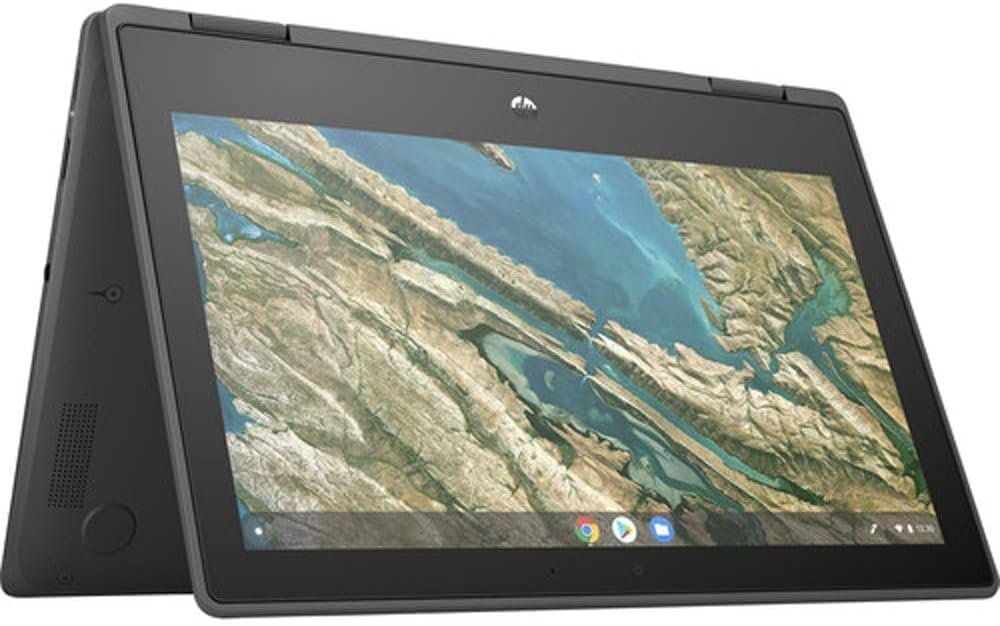

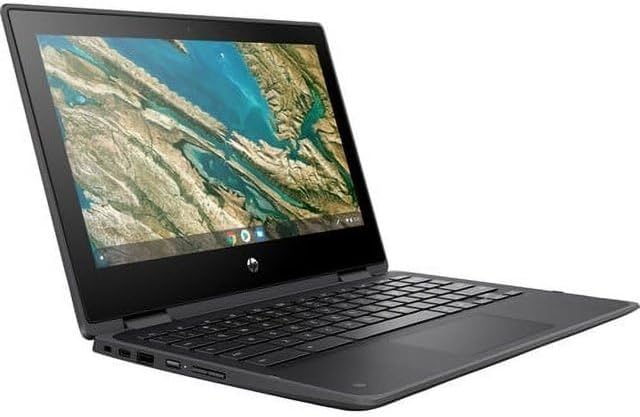
The HP Chromebook x360 11 G3 EE is designed to be a versatile and reliable device, especially tailored for students, mobile professionals, and anyone needing a flexible computing companion. With its compact 11.6-inch touchscreen and 2-in-1 convertible design, this Chromebook offers the convenience of switching between a traditional laptop and a tablet, making it perfect for a variety of settings—whether you’re in a classroom, at a café, or on the go. Combining a lightweight design with Chrome OS’s streamlined interface, the HP Chromebook x360 11 G3 EE promises adaptability and ease of use at an affordable price point.



Key Features
-
11.6-inch Touchscreen with 360-Degree Hinge: The standout feature of this Chromebook is its vibrant touchscreen paired with a 360-degree hinge, allowing users to switch effortlessly between laptop, tablet, tent, and presentation modes. This flexibility is ideal for note-taking, browsing, and multimedia consumption, ensuring the device adapts to your workflow or leisure needs.
-
Intel Celeron N4020 Processor & Intel UHD Graphics 600: Powered by the Intel Celeron N4020 and integrated Intel UHD Graphics 600, this Chromebook handles everyday tasks such as web browsing, document editing, and streaming with ease, though it’s best suited for light to moderate workload scenarios.
-
4GB RAM and 32GB Flash Storage: The 4GB RAM provides decent multitasking capabilities for standard Chrome OS applications, while the 32GB of Flash memory offers quick boot times and ample storage for essential files and cloud-synced content.
-
Durable and Portable Design: Built with portability in mind, the HP Chromebook x360 11 G3 EE is lightweight and compact, making it easy to carry throughout the day. Its durable construction caters well to students and professionals who need a device that can withstand frequent handling.
-
Chrome OS: The Chromebook runs on Chrome OS, which provides a secure, easy-to-use interface with automatic updates and access to a vast library of web apps and Google services.
Pros & Cons
Pros
- Excellent Value for Money: Priced around $119, this Chromebook offers significant bang for the buck, providing touchscreen versatility and convertible functionality at a budget-friendly level.
- Responsive Touchscreen: Users consistently praise the touchscreen’s responsiveness, highlighting smooth interaction without glitches, which enhances both productivity and entertainment experiences.
- Flexible Usage Modes: The 360-degree hinge enables users to switch seamlessly between different modes, suiting various use cases from typing to presenting content.
- Lightweight and Portable: The compact size makes it easy to carry around, ideal for students and professionals constantly on the move.
Cons
- Mixed Performance & Speed: While many find the performance adequate, some users report the device running slower than expected, especially under multitasking or heavier workloads.
- Battery Life Varies: Reviews indicate mixed experiences with battery longevity; some users find it sufficient for extended use such as long flights, while others find it less reliable.
- Function Keys Issues: A notable concern raised by several customers is that the function keys do not work properly, potentially limiting certain shortcuts and customizable controls.
- Limited Storage Capacity: With only 32GB of flash storage, users might find themselves reliant on cloud storage solutions for larger files and applications.
Who Is It For?
The HP Chromebook x360 11 G3 EE is ideal for students and mobile users who prioritize portability and versatility over raw processing power. It suits those who primarily use cloud-based applications, web browsing, and light productivity tasks, such as writing documents, attending video calls, or streaming content. Additionally, users on a budget who need a functional touchscreen Chromebook without bells and whistles will appreciate its value. However, it may not be the best fit for heavy multitaskers or users needing extensive offline storage and advanced software capabilities.
Final Thoughts
The HP Chromebook x360 11 G3 EE stands out as a versatile and affordable 2-in-1 device with a compact design and responsive touchscreen, making it a practical choice for everyday computing tasks. While some users report mixed experiences in terms of speed, battery life, and function key reliability, its value and adaptability notably outweigh these drawbacks for its target audience. If you’re seeking a budget-friendly Chromebook that easily transitions between laptop and tablet modes, this model is certainly worth considering. For students and casual users looking for flexibility and portability in a small package, the HP Chromebook x360 11 G3 EE provides a solid, dependable option without breaking the bank.
As an Amazon Associate, I earn from qualifying purchases.
About the Author