


In today’s fast-paced digital landscape, efficient data management is essential for businesses of all sizes. Cloud storage has emerged as a pivotal technology that enables organizations to store, manage, and access data remotely with unmatched convenience and scalability. This article delves into how to utilize cloud storage effectively to unlock operational efficiency and ensure seamless data management.



What Is Cloud Storage?
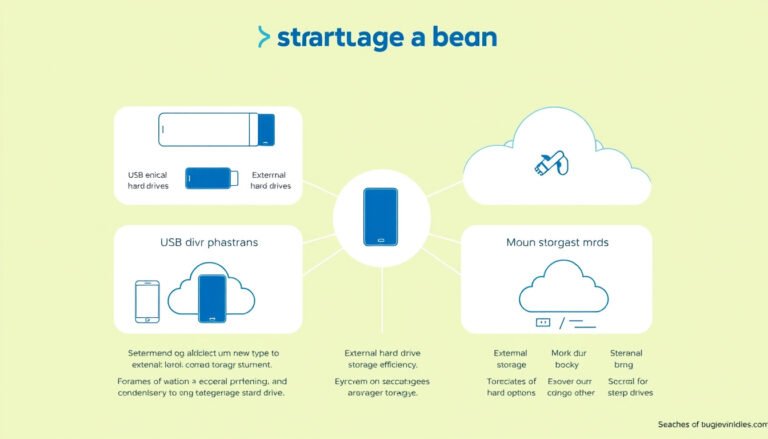
Cloud storage is a cloud computing service where data and files are stored on remote servers managed by a third-party provider. Users can access this storage over the internet or a dedicated private network, eliminating the need for on-premises storage infrastructure. The cloud service provider hosts, secures, and maintains the physical data centers, while users interact with storage resources through web portals, mobile apps, or APIs.
Cloud storage offers virtually unlimited capacity and elastic scalability—meaning you can increase or decrease storage usage on demand, paying only for what you consume.
Why Utilize Cloud Storage?
1. Cost-Effective Storage Solution
Traditional data storage requires substantial upfront capital investment for hardware, physical space, and ongoing maintenance. Cloud storage transforms these capital expenditures into manageable operating expenses by offering pay-as-you-go pricing. You avoid costs related to overprovisioning and scale your storage precisely with your needs. Moreover, infrequently accessed data can be automatically moved to lower-cost storage tiers, further optimizing expenses.
2. Increased Agility and Faster Deployment
Cloud storage resources can be provisioned within minutes, allowing businesses to respond quickly to changing demands without the delays associated with physical infrastructure deployment. This rapid scalability enables IT teams and developers to focus on innovation and core business processes rather than hardware management.
3. Enhanced Data Accessibility and Collaboration
Cloud storage facilitates anytime, anywhere data access for authorized users. Whether your teams are remote, distributed globally, or on-site, cloud storage ensures seamless collaboration by enabling multiple users to view, edit, and share files through secure connections on various devices.
4. Scalability and Flexibility
Cloud storage offers virtually unlimited capacity and elasticity. It accommodates varying workloads and data growth trends—whether for supporting large-scale analytics, backups, or application development—without the limitations of physical device capacity.
5. Data Security and Business Continuity
Leading cloud providers operate secure, geographically dispersed data centers designed to ensure data durability, automatic redundancy, and rapid recovery from failures. Features like data versioning, replication, and encryption help safeguard information against accidental loss, corruption, or cyber threats. Storing data offsite also reinforces business continuity in cases of natural disasters or incidents affecting local infrastructure.
How to Use Cloud Storage Effectively
1. Choose the Right Type of Cloud Storage
- File Storage: Organizes data in a hierarchical structure of files and folders. Ideal for shared file systems and user-centric data.
- Block Storage: Splits data into blocks distributed across storage nodes. Provides high performance suitable for databases, operating systems, and applications requiring low latency.
- Object Storage: Stores data as discrete objects with customizable metadata, offering massive scalability for unstructured data like multimedia files, backups, and archives.
Selecting the appropriate storage type depends on your use case, performance needs, and data formats.
2. Select Deployment Environment Based on Requirements
- Public Cloud: Storage provided over the internet by third-party services, offering cost-effective, scalable solutions accessible anytime.
- Private Cloud: Dedicated cloud storage infrastructure within an organization’s network for higher control and compliance.
- Hybrid Cloud: Combines public and private clouds for balanced flexibility, allowing sensitive data to reside in private clouds while leveraging public clouds for less critical storage.
- Multicloud: Uses multiple cloud providers’ storage services simultaneously to optimize performance, cost, and avoid vendor lock-in.
3. Implement Data Lifecycle Management
Utilize automated policies to manage the transition of data between storage tiers—moving infrequently accessed data to cheaper storage options and archiving or deleting obsolete files. Lifecycle management enhances cost efficiency and ensures compliance with data retention regulations.
4. Integrate Cloud Storage with Your Business Applications
Leveraging APIs and native connectors, integrate cloud storage with analytics tools, backup software, and collaboration platforms to streamline workflows and unlock greater insights from your data.
5. Prioritize Security and Compliance
While cloud providers ensure infrastructure security, organizations must safeguard the data, applications, and workloads they deploy. Employ encryption (both in transit and at rest), strong access controls, and regular auditing. Evaluate provider compliance with relevant industry standards and regulations to maintain data privacy and integrity.
Use Cases for Cloud Storage
- Backup and Disaster Recovery: Ensures critical data is securely backed up offsite for easy restoration.
- Big Data Analytics: Supports storage and real-time processing of massive datasets.
- Content Distribution: Stores and delivers static web content, video, and applications to global users.
- File Sharing and Collaboration: Enables distributed teams to work seamlessly on shared documents.
- Archiving and Compliance: Provides long-term, cost-effective storage for sensitive records.
Conclusion
Utilizing cloud storage effectively empowers organizations to shift from managing physical infrastructure to focusing on innovation and growth. The scalability, cost-efficiency, enhanced accessibility, and robust security offered by cloud storage create a foundation for seamless data management aligned with modern business needs. By selecting the right storage type, deployment model, and integrating lifecycle and security management, organizations can unlock the full potential of cloud storage and transform their data management strategies.
Harness the power of cloud storage to drive efficiency, agility, and resilience in your data-driven operations today.
About the Author